⚠️ General Wellness Notice
Wearables track lifestyle-related signals, not medical conditions.
They cannot diagnose or treat diseases. They simply help you see patterns worth discussing with a clinician if needed.
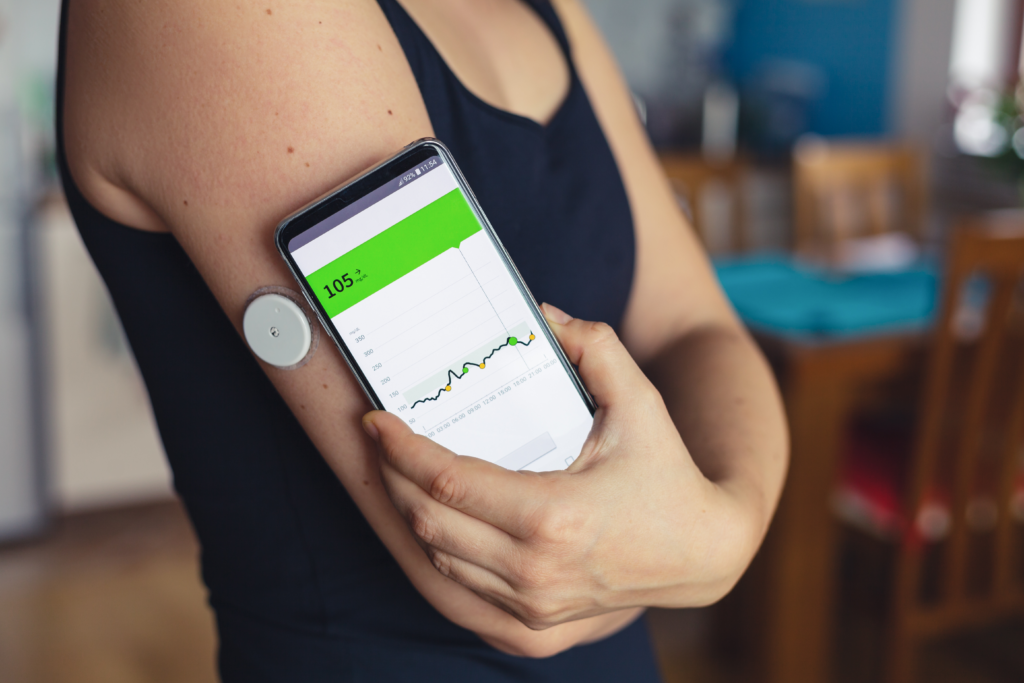
Most people use wearables to count steps or check sleep, but today’s devices can reveal far more.
A personal metabolic dashboard takes your daily signals—glucose trends, HRV, sleep, movement, and recovery—and turns them into a clear picture of how your metabolism responds in real life.
This helps you understand:
- How meals affect your energy
- When stress impacts your body
- Whether you’re recovering well
- What habits improve fat-burning
- How sleep changes your hormones
It’s a simple system that gives you real-world metabolic awareness.
Why Build a Metabolic Dashboard?
A dashboard makes it easier to watch for lifestyle patterns such as:
- Big glucose spikes after meals
- Afternoon crashes
- Low HRV (stress load)
- High resting heart rate
- Poor sleep quality
- Overtraining days
- Low-movement days
📎 Read More: Stress Weight Gain (Even with Clean Eating)
These aren’t diagnoses — they’re signals that help you make better decisions.
The Best Wearables for a Metabolic Dashboard
1️⃣ Continuous Glucose Monitors (CGMs)
CGMs show near real-time glucose responses to food, exercise, sleep, and stress.
⚠️ US-Specific Notes:
- Most CGMs (Dexcom, Libre) require a prescription.
- Dexcom Stelo is the first OTC CGM for non-insulin users.
- Many people access CGMs via Levels, Nutrisense, Signos.
- Smartwatches CANNOT measure glucose — the FDA has warned against unauthorized products.
📎 Read More: Healthy Foods That Spike Blood Sugar
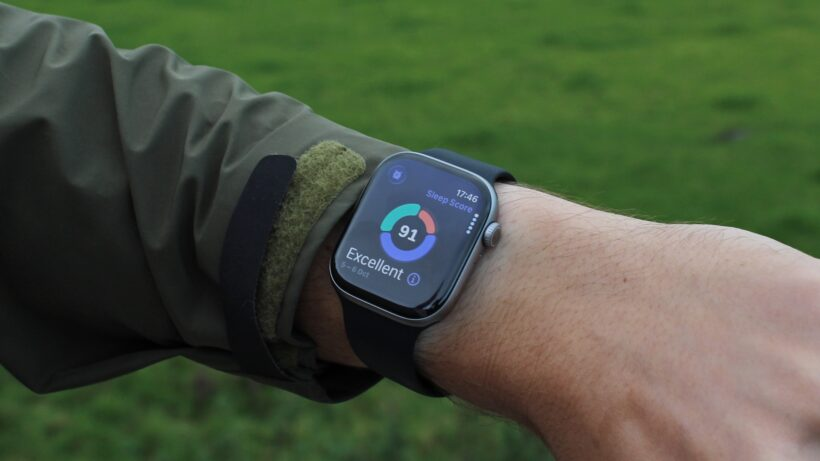
2️⃣ Smartwatches (Apple, Garmin, Fitbit)
These track:
- HRV (indirect stress indicator)
- Resting heart rate
- Sleep stages
- Movement load
- Zone 2 heart rate range
Smartwatches alone provide 70% of your metabolic dashboard insights.
3️⃣ Recovery Wearables (Oura Ring, Whoop)
These focus on:
- Recovery score
- Deep sleep timing
- Nighttime HRV
- Stress patterns
- Respiratory changes
📎 Read More: Waking Up Bloated vs Bedtime Flat
How to Build Your Dashboard (Step-by-Step)
Step 1: Sync Data Into a Single App
Use hubs like:
- Apple Health
- Google Fit
- Levels
- Whoop
- Athlytic
- InsideTracker
Before syncing, review each app’s data-sharing policy — important for US users.
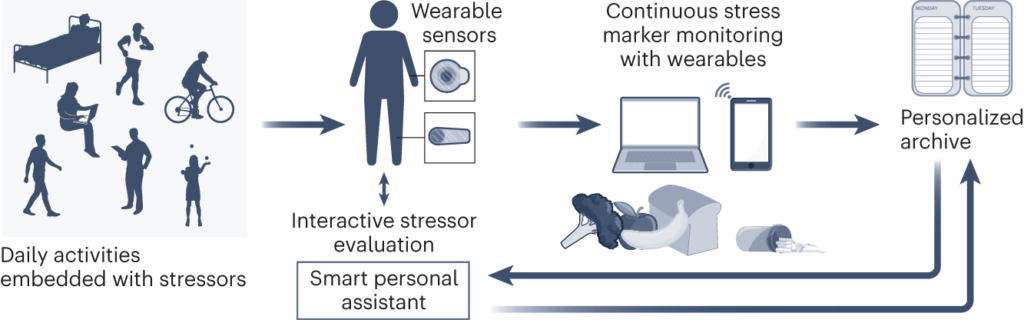
Step 2: Monitor These 6 Core Metabolic Signals
1. Glucose Patterns
Shows which foods spike or stabilize your blood sugar.
2. HRV Trends
A strong indirect signal of recovery and stress load.
3. Resting Heart Rate
Elevated RHR = poor recovery, stress, or late meals.
4. Sleep Quality
Deep sleep strongly impacts hormones & daily energy.
5. NEAT (Daily Movement)
Small movement gaps affect metabolism more than workouts.
6. Zone 2 Range
Great for metabolic flexibility + fat-burning support.
📎 Read More: Zone 2 Cardio & Metabolic Health
What a Daily Dashboard Looks Like
Morning Panel
- Waking glucose
- HRV
- Sleep score
- Recovery level
Afternoon Panel
- Glucose dips
- Stress spikes
- Movement gaps
- Energy curve
Night Panel
- RHR
- HRV rebound
- Sleep readiness
- Wind-down patterns
This keeps your metabolic signals organized and easy to understand.
⭐ Bonus
📎 Read More: 3 AM Cortisol Spike: Why You Wake Up & Can’t Sleep
📎 Read More: Wearable Metrics That Reveal Hormone Imbalance
📎 Read More: Hidden IR Signs (Skin, Energy, Cravings)
Health Disclaimer
This article provides general wellness information only and is not medical advice.
Wearables cannot diagnose, monitor, or treat medical conditions.
Always consult a qualified healthcare provider for medical concerns.